Tasty
- 4.7
- Rating
- 10.00M
- Installs
- Free
- Price

 Analysis by App-foxy
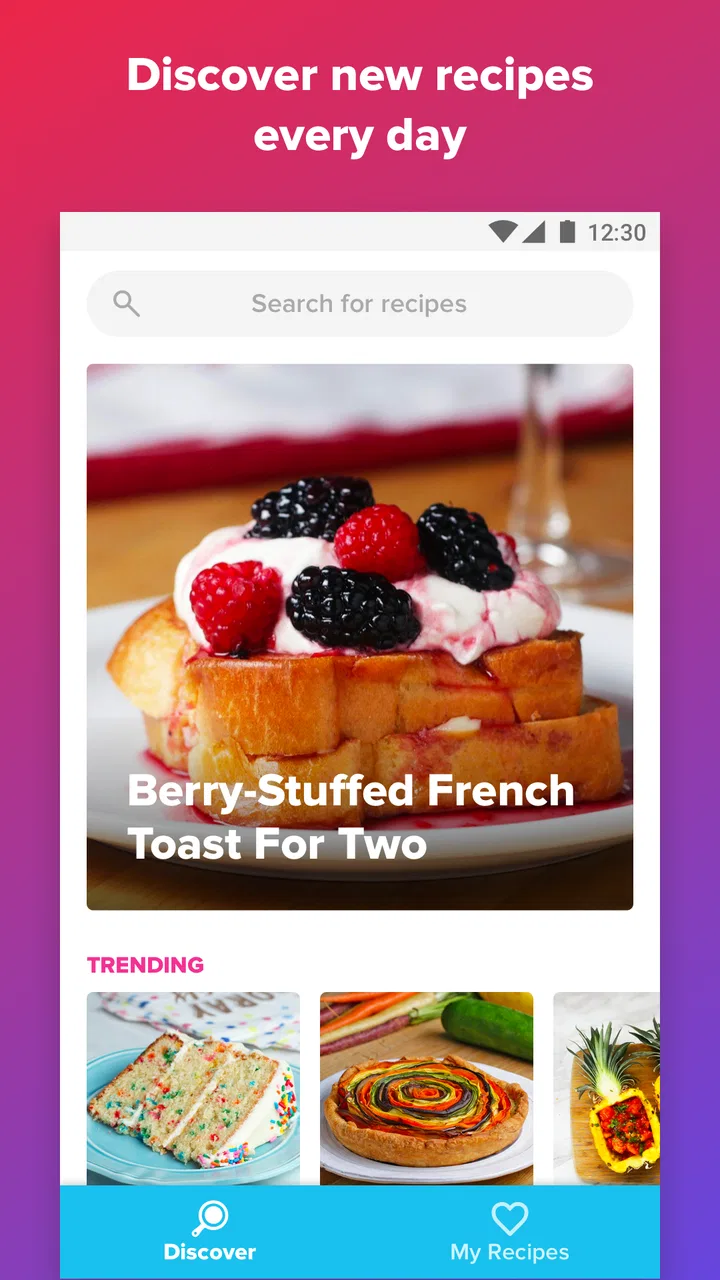
I reach for Tasty when I want dinner inspiration without turning the search into a research project. It is a food and drink app from BuzzFeed built around recipe videos and cooking ideas, and its biggest strength is immediate visual guidance: I can see what a dish is supposed to look like before deciding whether it belongs in my kitchen. That makes it especially approachable when I am hungry, short on ideas, or trying to cook something that feels more interesting than my usual rotation.
My overall view is positive, but I would not treat it as a complete replacement for every recipe source. Tasty is at its best as a discovery and decision-making tool. It helps me choose a meal, understand the broad sequence, and save appealing ideas for later. It is less convincing when I need highly technical culinary instruction, detailed nutritional planning, or a carefully filtered collection built around strict dietary rules.
What I look for before choosing a recipe app
The first question I ask is not whether an app has a large recipe library. Most established cooking services have plenty of recipes. I want to know how quickly I can move from “I need food” to “I know what I am making.” Tasty performs well here because the video-first presentation lets me judge the finished dish, the texture, and the general cooking process before committing to a long page of instructions.
You May Also Like

 AccuWeather: Weather Radar
AccuWeather Review: A Quick, Clear Forecast for Everyday Decisions
For everyday plans, the best forecast is the one you can understand quickly. AccuWeather makes rain timing, radar, and local conditions easy to act on, with a few trade-offs.

 Hill Climb Racing
Why Hill Climb Racing Still Turns Crashes Into One More Run
A tiny car, a bumpy hill and one more upgrade: Hill Climb Racing keeps resurfacing because its simple chaos makes every near-miss feel personal.

 AliExpress - Shopping App
AliExpress Makes Global Shopping Feel Personal, but Shoppers Bear the Risk
AliExpress turns a global marketplace into a pocket-sized discovery engine. Its reach is useful, its shopping loop compelling, and its trade-offs easy to miss.

 Lords Mobile: Kingdom Wars
Lords Mobile Is a Kingdom-Building Routine, Not a Quick Match
A case-by-case verdict on the building, battles, device demands, and social commitments that make Lords Mobile rewarding for some players and exhausting for others.

 PDF Scanner app - TapScanner
TapScanner Makes Paperwork Easier to Capture, Check, and Share
TapScanner makes scanning with a phone feel less like a rescue operation and more like a dependable step in getting work done. Its capture tools are useful, though not flawless.

 Block Blast!
 Shows How Much a Puzzle Game Can Leave Out
A quiet grid game shows why puzzle players increasingly value instant clarity, repeatable skill and low-pressure play—and where the genre still needs to catch up.
More From Our News Desk
View All News


The second decision point is confidence. A written recipe can be precise, but it may leave a beginner unsure about the appearance of a sauce, the thickness of a batter, or the right stage for browning. Short visual demonstrations reduce some of that uncertainty. I still need to read carefully and use my own judgment, but seeing the physical steps gives me a more useful reference than ingredient text alone.
I also consider how much planning I want to do. Some evenings call for a structured meal plan and a carefully organized shopping list. Other evenings call for opening an app, browsing a few appealing dishes, and choosing something based on what I already have. Tasty suits the second situation better. It encourages browsing, which is pleasant when I want inspiration, though it can also make me spend longer choosing than cooking.
Finally, I consider whether the app matches my cooking level. A complete beginner may appreciate the visual format and straightforward ideas, while an experienced home cook may use it as a source of combinations rather than instruction. Someone with allergies, medical dietary requirements, or a strict budget needs to check every ingredient independently instead of assuming that a visually attractive recipe is automatically suitable.
The video format makes unfamiliar dishes easier to judge
The most convincing part of the experience is the relationship between the video and the recipe. A dish can sound appealing in writing but turn out to involve equipment, timing, or preparation that does not fit my evening. Watching the process first helps me spot that mismatch early. I can often tell whether the recipe is a realistic weeknight project or something better saved for a relaxed weekend.
This is also useful for people who learn by watching. I find it easier to remember a sequence when I have seen the ingredients combined and the final texture demonstrated. That does not eliminate the need to read the recipe, especially for oven settings and timing, but it gives the written directions context. For a new cook, that context can be the difference between following a recipe confidently and repeatedly stopping to guess.
There is a practical trick here: I use the video as a preview, not as my only instruction. Before starting, I check the ingredient list and scan the full method. That simple habit prevents a common mistake with short cooking clips: assuming that every preparation step was shown in equal detail. The fast visual rhythm is excellent for inspiration, but it is not always a substitute for reading.
Browsing is a strength, but it needs a stopping rule
Tasty is particularly good when I begin with a vague request such as “something comforting,” “a quick lunch,” or “a dessert for guests.” Instead of forcing me to know the exact name of a dish, it lets visual appeal guide the decision. I can compare ideas by appearance and effort, then settle on one that matches my mood.
The trade-off is that browsing can become the main activity. The app’s appeal comes from discovering one more recipe, and then another, even when I already have enough options. I get better results when I set a small rule before opening it: choose a dish within a few minutes, or browse only until I find two realistic candidates. That turns the app from an endless feed into a useful meal-selection tool.
I also recommend checking the recipe against the ingredients already in the cupboard before becoming attached to it. A visually impressive dish may depend on a specialty ingredient or a quantity that makes a quick meal impractical. Tasty helps me find possibilities, but my pantry still decides whether the idea is convenient.
How it works in an ordinary evening
Imagine I arrive home with vegetables, pasta, and a small amount of cheese, but no clear plan. I can open Tasty, look for a dish that uses a similar base, and watch the preparation before deciding. If the recipe depends on a long marinade or several ingredients I do not have, I can reject it immediately rather than discovering that problem halfway through cooking.
Once I choose, I keep the app nearby for the visual sequence and use the written recipe to confirm quantities and timing. I may simplify the dish by leaving out an optional topping or replacing an ingredient with something already available. This is where the app works best for me: it supplies a direction, then leaves room for sensible home cooking instead of making inspiration feel rigid.
For a family, the same workflow can help with participation. A child or less experienced cook can watch the video and handle a simple preparation step, while an adult manages heat, sharp tools, and timing. The visual format makes the meal feel approachable, although normal kitchen supervision remains essential.
Where Tasty stands out among cooking alternatives
Compared with a traditional cookbook, Tasty feels faster and more inviting when I do not know what I want to cook. A book is often better when I already have a cuisine, technique, or ingredient in mind and want a calm reference. Tasty wins the first stage of the process: turning indecision into a shortlist.
Compared with a search engine, it offers a more focused path. A general search can produce excellent results, but it also brings duplicate recipes, distracting pages, and inconsistent presentation. Tasty gives me a more cohesive visual experience. The downside is that I have less control over the entire universe of available recipes, so a specialist search remains preferable for a very particular request.
Compared with a dedicated meal-planning service, Tasty is more spontaneous. I use it to discover dishes rather than to run a complete household food system. If my priority is a calendar, automatic planning, carefully managed leftovers, or strict shopping organization, another category of app may fit better. I would not choose Tasty solely because I want administrative control over every meal.
Compared with a technique-focused cooking platform, Tasty is friendlier and quicker to enter. It is a strong starting point for everyday cooks, but someone trying to master knife work, bread fermentation, pastry precision, or advanced sauces may benefit more from long-form lessons and detailed explanations. The short, energetic format favors momentum over deep instruction.
Useful habits that improve the experience
My first habit is to separate discovery from execution. I browse when I am relaxed, save or note the recipes that genuinely fit my household, and then cook from a smaller personal shortlist. This avoids making a hungry decision based only on the most attractive image.
My second habit is to read beyond the ingredients. I look for preparation time, cooking order, and any step that could create a bottleneck. A recipe may have familiar ingredients but still be inconvenient if several components must be ready at once. This check is especially valuable when I am cooking after work or preparing food for people who are already waiting.
My third habit is to treat substitutions as a deliberate choice. I compare the role of an ingredient before replacing it: liquid, fat, acidity, sweetness, crunch, or seasoning. That is more reliable than swapping items simply because they look similar. Tasty provides the starting idea, but the best results often come from understanding what each ingredient contributes.
A fourth useful approach is to use the app for themed inspiration rather than random browsing. I might decide that I want a one-pan meal, a dessert, or a way to use a particular vegetable, then explore within that boundary. The narrower goal keeps the visual catalog helpful instead of overwhelming.
Limitations I noticed before recommending it
The polished videos can make recipes look easier than they feel in a real kitchen. Fast cuts hide waiting, washing up, measuring, and the small delays that happen when equipment or ingredients are not perfectly prepared. I enjoy the presentation, but I do not use the video’s pace as a promise about how long my own cooking will take.
Another limitation is that visual appeal can influence me more than practicality. The most tempting dish is not always the best match for my budget, available cookware, dietary needs, or schedule. I have to bring those filters myself. Tasty is good at making me want to cook; it is not a substitute for checking whether a recipe is appropriate for my circumstances.
I also would not rely on it as my only source for medically sensitive eating. Anyone managing allergies or a condition that requires precise control should inspect labels, ingredients, and substitutions carefully. A recipe video can demonstrate technique, but it cannot make personal dietary decisions on my behalf.
The free download makes trying the app easy, and the Everyone content rating makes it broadly approachable. There are in-app purchases ranging from a few dollars to the high twenties per item, so I would review any purchase prompt carefully and decide whether the extra value matters to my own use. The core appeal for me is the accessible recipe discovery experience, not the assumption that I need to buy anything beyond that.
Device expectations, access, and upkeep
Tasty is available as a free app, developed by BuzzFeed, and it runs on Android devices using version seven or later of the operating system. Its current release is version 2.16.0. Those details matter mainly when deciding whether an older phone or tablet is suitable. On a compatible device, I would still keep the screen clean and positioned safely away from splashes rather than treating it like a disposable recipe card.
The app has reached over ten million installs, with an average rating of 4.7 from around one hundred eighty thousand ratings and roughly twenty-seven thousand written reviews. I see that broad adoption as a useful sign that the format works for many people, but popularity does not remove the need to judge recipes individually. A highly rated cooking app can still contain ideas that are wrong for my time, equipment, or eating habits.
For someone deciding whether to switch from another recipe app, the cost is mostly behavioral rather than technical. Tasty asks me to become comfortable with visual browsing and to verify details before cooking. If I already have a carefully organized recipe collection, moving everything may not be worthwhile. I would keep the existing system for planning and use Tasty alongside it for discovery.
Who should choose it, and who should look elsewhere
I recommend Tasty to beginners who want cooking to feel less intimidating, busy people who need quick inspiration, and home cooks who enjoy learning through short demonstrations. It is also a good fit for anyone who repeatedly buys the same ingredients and wants fresh ways to use them. The visual presentation lowers the barrier to trying something unfamiliar.
I am more cautious about recommending it to people who want a strict meal plan, detailed nutrition management, advanced culinary education, or a highly specialized diet. Those users may be better served by a planning-focused, nutrition-focused, or technique-focused alternative. They can still browse Tasty for ideas, but it should not be their only kitchen reference.
I would also skip it if I dislike browsing and already know exactly what I want from a recipe service. In that case, a searchable cookbook or a personal notes system may get me cooking faster. Tasty’s personality is part of its appeal, but that same discovery-oriented design is unnecessary when precision and speed are the only goals.
My recommendation after using it as a decision tool
Tasty is worth installing if your main problem is deciding what to cook. I like how quickly it turns a vague craving into a visible, understandable possibility, and I find the videos more useful than static photographs when I am attempting an unfamiliar recipe. The app feels welcoming without requiring me to be an experienced cook first.
I would use it with a simple three-step routine: preview the video, read the complete recipe, and compare the ingredients with my actual pantry and schedule. That routine keeps the app’s strongest feature—visual inspiration—from becoming a source of unrealistic expectations. It also makes substitutions and timing decisions much easier.
My final judgment is that Tasty works best beside, not necessarily instead of, a more structured cooking resource. It is a free Food & Drink app from BuzzFeed with a broad audience and an easy entry point, but its greatest value is creative momentum. When I want a practical idea that looks inviting and can guide me through the main steps, I recommend it. When I need rigorous planning, specialist dietary control, or deep technical teaching, I would choose a different tool and keep Tasty for inspiration.
FAQs for Tasty
01What is Tasty, and what can I use the app for?
Tasty is a recipe app focused on easy-to-follow cooking ideas, particularly short video recipes and step-by-step instructions. After exploring it, I found recipes organized by categories, ingredients, meal types, and cooking preferences, making it useful for beginners and experienced cooks. You can save recipes, browse inspiration, and use the instructions while preparing meals at home.
02Does Tasty offer recipes for beginners?
Yes. Tasty is especially suitable for beginners because many recipes include visual guidance, clearly listed ingredients, preparation times, and step-by-step directions. The videos make techniques easier to understand than text-only recipes. However, some dishes still require basic kitchen equipment and familiarity with measurements, so it is worth reading the complete recipe before starting, particularly when cooking more advanced meals.
03Can I use Tasty without an internet connection?
Tasty generally requires an internet connection to browse the latest recipes, load videos, and access online content. Depending on the version and the features available on your device, saved recipes may remain accessible in limited form, but you should not assume that every video or instruction will work offline. If you plan to cook without Wi-Fi, open the recipe beforehand and check what is available.
04Does Tasty support dietary preferences and ingredient-based searches?
Tasty includes useful ways to discover recipes according to ingredients, meal categories, and certain dietary preferences. This can help users find vegetarian, low-carbohydrate, quick, or otherwise specialized ideas more easily than browsing a general recipe website. Still, filters should not replace careful label checking: ingredients and nutritional information may vary, and users with allergies should verify every ingredient before preparing a dish.
05Is Tasty free to download, and are there any limitations?
Tasty can typically be downloaded at no cost, allowing users to browse a substantial collection of recipes and cooking videos. Some features, content, or personalized tools may depend on the current app version, region, account requirements, or optional in-app offerings. Before downloading, review the store listing for the latest pricing, permissions, privacy details, and device compatibility so there are no surprises.
Pros
- Clear step-by-step recipes suit beginners and experienced cooks.
- Recipe videos make techniques easier to follow while cooking.
- Personalized recommendations help discover meals matching your preferences.
- Ingredients and instructions are presented in a simple
- readable format.
- Many recipes use common ingredients available at regular supermarkets.
Cons
- Some recipes require premium access or may be limited by region.
- Video content can use significant mobile data and storage space.
- Portion sizes and nutrition details are not available for every recipe.
- The large recipe library can make finding specific dishes time-consuming.
- Some recipes prioritize visual appeal over practical everyday preparation.

Tasty
Gallery